AI ChatBot Assistant - Cuda AI
- 4.2
- Rating
- 100.00K
- Installs
- Free
- Price

 Analysis by App-foxy
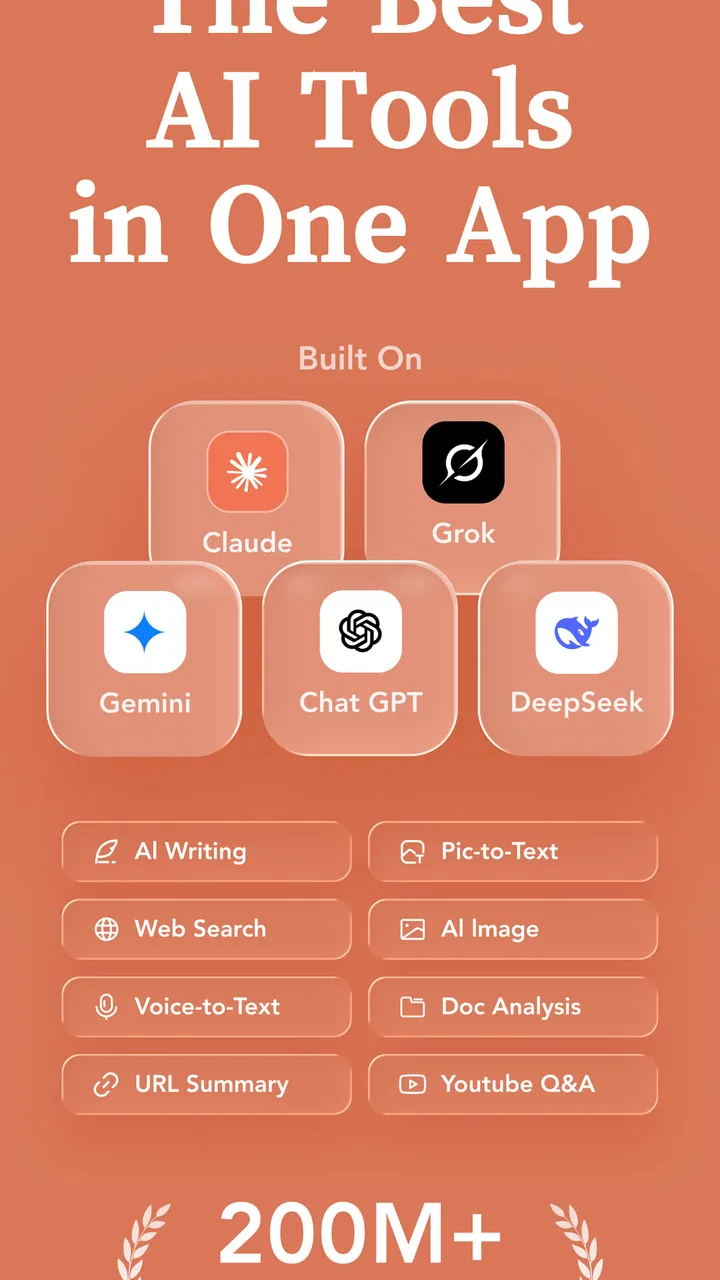
AI ChatBot Assistant - Cuda AI is aimed at people who want several well-known AI assistants in one business-focused app instead of switching between separate services. I found its central idea appealing: one place for conversations with Claude, ChatGPT, Gemini, Grok, and Deepseek can make experimentation much less tiring. At the same time, the app is not automatically a replacement for every official AI client. Its value depends on whether convenience matters more to you than having each assistant in its own dedicated environment.
My overall impression is positive but measured. Cuda AI is free to install, simple to understand, and broad enough to support everyday questions, drafting, brainstorming, and quick comparisons between different AI responses. The important distinction is that its main strength is bringing multiple AI choices together, not proving that one assistant is always better than the others. If you regularly use more than one model, that difference is meaningful. If you already rely on a single official app, the extra layer may feel unnecessary.
One workspace for several AI conversations
The app belongs to the Business category and is developed by Alfinardimen. Its store summary presents it as an all-in-one AI assistant, while the shorter store description calls it Cuda AI. In practical terms, I approached it as a central chat tool: open the app, choose the kind of AI conversation I want, and keep the interaction inside the same general experience rather than moving through a collection of separate downloads.
You May Also Like

 Blood Strike: 2.5 Anniversary
Blood Strike’s Loadouts Turn Every Drop Into a Tactical Gamble
A close look at Blood Strike’s custom loadouts: how fast access to signature weapons reshapes its battle royale rhythm, rewards preparation, and narrows the gap between fights.

 Pandora - Music & Podcasts
Pandora’s Music Is Easy to Start, but Harder to Recover
Pandora’s strength is its low-effort path from a seed to a station. Its weak spot is how much confidence it asks you to place in connection, setup, and quiet recovery.

 8 Ball Pool
 Is Built on Rivalries, Rematches, and Routine
A close look at the rivalries, rematches, shared routines, and unanswered safety questions that turn a quick pool match into a persistent mobile community.

 Samsung Music
’s Quiet Strength Is Playing What You Already Own
Its reach comes less from spectacle than from dependable access to a personal library. That simplicity is both the app’s strongest retention engine and its ceiling.

 AccuWeather: Weather Radar
AccuWeather Review: A Quick, Clear Forecast for Everyday Decisions
For everyday plans, the best forecast is the one you can understand quickly. AccuWeather makes rain timing, radar, and local conditions easy to act on, with a few trade-offs.

 Hill Climb Racing
Why Hill Climb Racing Still Turns Crashes Into One More Run
A tiny car, a bumpy hill and one more upgrade: Hill Climb Racing keeps resurfacing because its simple chaos makes every near-miss feel personal.
More From Our News Desk



That arrangement is especially useful when the question is not simply “What is the answer?” but “Which answer is most useful for my purpose?” For example, I might ask one assistant to create a rough outline, another to make the wording more conversational, and a third to challenge the assumptions in the draft. Cuda AI makes that kind of comparison more approachable because the services are presented under one app identity.
I would not treat the five named assistants as interchangeable. Different systems can produce noticeably different writing styles, explanations, and levels of caution. A response that works well for a quick email may not be the best choice for a technical explanation or a creative idea. The app’s real advantage is therefore not just access; it is the ability to change perspective without changing the basic habit of opening an AI chat.
The interface concept also suits people who are still learning which AI tool fits which task. Instead of committing immediately to one assistant, a new user can try different approaches and notice practical differences. That makes the app more approachable than a collection of isolated services, particularly for someone who does not want to manage several app layouts and separate starting points.
How I would use it during a normal workday
Imagine I am preparing a short product update for a small business. I could begin by asking for a plain-language outline, then request a warmer version for customers, and finally ask for a concise internal summary. Rather than accepting the first answer, I would compare the tone and structure of the responses. Cuda AI is well suited to this workflow because the app encourages the user to think of AI as a set of writing partners instead of one fixed source.
A second useful scenario is meeting preparation. I might paste my own notes and ask for possible questions, risks, or missing points. One response could help organize the material, while another could act as a skeptical reader. The important habit here is to supply context and review the result myself. The app can speed up preparation, but it should not turn an unverified AI response into a business decision.
For personal use, I can see it helping with travel planning, study explanations, idea generation, and rewriting messages. Those tasks benefit from quick back-and-forth conversation and do not always require a specialized productivity suite. The app feels most convincing when it reduces small amounts of daily friction rather than when it is expected to manage an entire professional workflow.
Three practical ways to get more from the app
My first tip is to use the different assistants as stages in a process rather than asking all of them the same vague question. Start with one clear request, then use another conversation to critique or improve the result. This produces more useful contrast than simply collecting several unrelated answers. It also helps reveal whether the problem is the model’s response or the way the prompt was written.
My second tip is to keep a small personal prompt pattern for repeated work. For example, I would state the audience, desired tone, length, and purpose before asking for a draft. When moving between assistants, consistent instructions make the comparison fairer. Without that discipline, one model may appear better simply because it received a clearer request.
My third tip is to use the app for alternative viewpoints, not automatic authority. If I am planning a business message, I might ask for a customer-friendly version, a risk-focused review, and a shorter version for a busy reader. This turns the multi-assistant design into a practical editing loop. It is more valuable than treating the app as a button that produces a finished answer with no checking.
There is also a useful trade-off in this approach. Keeping everything in one app is convenient, but it can make the differences between services less visible if the conversations are presented too similarly. I would pay attention to which assistant produced each response and avoid mixing drafts without labeling them. That small organizational habit matters when a project includes several revisions.
Where the convenience starts to lose its edge
The biggest weakness is the extra layer between the user and the individual AI services. An official app may offer a more focused experience, clearer service-specific controls, or a stronger sense of where a conversation belongs. With Cuda AI, the appeal is centralization, but centralization can also mean that the user is relying on a common interface rather than the full identity of each separate assistant.
I would also be cautious about assuming that every assistant behaves exactly as it does in its own official environment. The app brings the names together, but that does not mean every service has identical capabilities, conversation handling, or access conditions through this interface. For important work, I would test the exact workflow I need instead of choosing the app based only on the presence of familiar names.
Another limitation is that AI convenience can encourage shallow comparison. Five answers are not automatically five reliable answers. They may repeat the same misunderstanding, confidently state something incorrect, or reflect the weaknesses of the original prompt. Cuda AI makes it easier to ask several systems, but it does not remove the need for fact-checking, source review, or human judgment.
The app also includes in-app purchases ranging from around seven dollars to nearly one hundred dollars per item. That makes the free starting point attractive, but I would inspect the purchase screen carefully before treating the app as a completely cost-free long-term solution. The difference between installing an app for free and using every part of it without payment is important, especially for someone comparing it with other AI tools that may have their own limits.
Because the app is rated for Everyone, it is approachable for a broad audience. Still, an Everyone rating should not be confused with professional reliability or suitability for sensitive material. I would avoid entering confidential business information, private customer details, passwords, or anything that I would not want processed by an online AI service. That is sensible behavior for any AI chat application, and the multi-service concept makes that caution even more relevant.
Performance expectations and everyday fit
Cuda AI requires Android 6.0 or later, so it can work on a wide range of Android devices. The current version is 1.0.4, which suggests a relatively early stage for the product. I would approach it as an app that may continue to develop rather than as a completely mature replacement for every established AI platform. That is not a criticism by itself, but it affects how much patience I would bring to small interface quirks or evolving behavior.
The app has an average rating of 4.2 from around one and a half thousand ratings, with over ten thousand installs. Those figures indicate that it has attracted a real user base and that the overall response has been favorable. I still would not use the rating as proof that it fits my particular workflow. A person who values one-tap access to several assistants may rate it highly, while someone seeking advanced controls in one official service may reasonably prefer something else.
Its business positioning makes sense for freelancers, students working on projects, small teams, and people who regularly write or organize information. It can help with first drafts, alternative wording, idea sorting, and quick explanations. I see the strongest fit for users who are curious and willing to compare outputs, not for users who want the app to make every decision for them.
Who should choose it, and who should look elsewhere?
I would recommend trying Cuda AI if you often switch between Claude, ChatGPT, Gemini, Grok, and Deepseek, or if you want to discover which style suits different tasks. It is also a sensible option for someone who wants one starting point for AI conversations and does not want to maintain several separate apps. The free installation lowers the barrier to testing the idea, although the available purchases should be considered before building a routine around it.
I would be more hesitant to recommend it to a user who already has a dependable workflow inside one official AI app. If that person mainly needs document management, specialized integrations, or a deeply customized environment, a dedicated service may be the better choice. Cuda AI’s advantage is breadth and convenience; it is not necessarily depth in one particular assistant.
I would also skip it for high-stakes decisions unless I were prepared to verify every important detail elsewhere. Medical, legal, financial, employment, and confidential business matters need more than a convenient chat window. The app can help me prepare questions or organize thoughts, but I would not treat any generated response as a final professional judgment.
My verdict after weighing the trade-offs
Cuda AI is best understood as a comparison-friendly AI hub, not a magic replacement for every official assistant. Its multi-model approach gives it a clear identity, and I appreciate the way it can turn drafting, brainstorming, and critique into a flexible conversation. The app is particularly useful when I want different perspectives quickly and do not want to keep jumping between separate services.
Its limitations are equally important. The common interface may not provide the same focused experience as an official client, the presence of several AI names does not guarantee identical access or behavior, and the purchase range means I would review the available options before spending money. I would also keep my expectations realistic because the app cannot replace careful editing or fact-checking.
For a curious Android user, a freelancer, or a small-business worker who wants to experiment with several AI voices, I think it is worth trying. For someone who needs one deeply integrated professional tool or who dislikes comparing outputs, it may add complexity rather than remove it. My recommendation is to start with low-risk tasks, compare responses using consistent prompts, and keep only the workflows that genuinely save time. Used that way, Cuda AI offers a practical and approachable way to explore multi-assistant AI without pretending that convenience removes the need for judgment.
FAQs for AI ChatBot Assistant - Cuda AI
01What platforms is Cuda AI available on?
Cuda AI is available for both Android and iOS devices. Users can download it from the Google Play Store for Android or the Apple App Store for iOS. Ensure your device is running a compatible version of the operating system to avoid any installation issues.
02Does Cuda AI require an internet connection to function?
Yes, Cuda AI requires an active internet connection to access its full range of features. The app relies on cloud-based AI algorithms to process user queries and provide accurate responses, so a stable connection is essential for optimal performance.
03Is my data secure with Cuda AI?
Cuda AI prioritizes user privacy and data security. The app employs encryption and follows best practices for data handling. However, users should review the privacy policy to understand how their data is collected, used, and stored, ensuring they are comfortable with the terms.
04Can Cuda AI integrate with other apps and services?
Yes, Cuda AI offers integration capabilities with various apps and services to enhance productivity and streamline tasks. Users can connect it with calendars, email clients, and other productivity tools, making it a versatile assistant for managing daily activities.
05Are there any in-app purchases or subscription fees?
Cuda AI offers a free version with basic features, but users can unlock premium functionalities through in-app purchases or a subscription. The premium version may include advanced AI capabilities, priority support, and additional integrations. Reviewing the pricing model before downloading can help users make an informed decision.
Pros
- Intuitive and user-friendly interface.
- Supports multiple languages seamlessly.
- Quick response times for queries.
- Customizable settings for personalization.
- Integrates with other productivity apps.
Cons
- Limited offline functionality.
- Occasional inaccuracies in responses.
- Requires account setup for full features.
- Subscription needed for premium options.
- May consume significant battery life.

AI ChatBot Assistant - Cuda AI
Gallery